
Introduction
AI content tools are more accessible than ever. That also means more people are making the same mistakes in how they use them – and most of those mistakes happen before the first word of the article is written.
The three errors covered in this article are not obscure edge cases. They show up consistently in early content prompting practice, and each one produces a recognizable pattern: output that sounds generic, output that goes live before it should, or a workflow that stops after one disappointing draft.
The good news is that each mistake has a direct, practical correction. You do not need to overhaul your process. You need to adjust a few inputs and build one simple habit. This article walks through each mistake, explains why it happens, and gives you the fix you can apply immediately.
Why These Mistakes Are Worth Fixing
AI-generated content fails in predictable ways. The output is technically correct but sounds like no one in particular wrote it. Or it contains a subtle factual error that slips through because no one checked. Or a promising workflow gets abandoned because the first draft did not meet expectations.
Each of these outcomes has the same root cause: the gap between what you asked for and what the model needed in order to produce something useful. The model did not fail. The input was incomplete.
Understanding these patterns matters whether you are producing blog posts, social media captions, or email copy. The fixes apply across content types, and they compound over time. A small adjustment to your prompt or your review process pays off across every piece you produce.
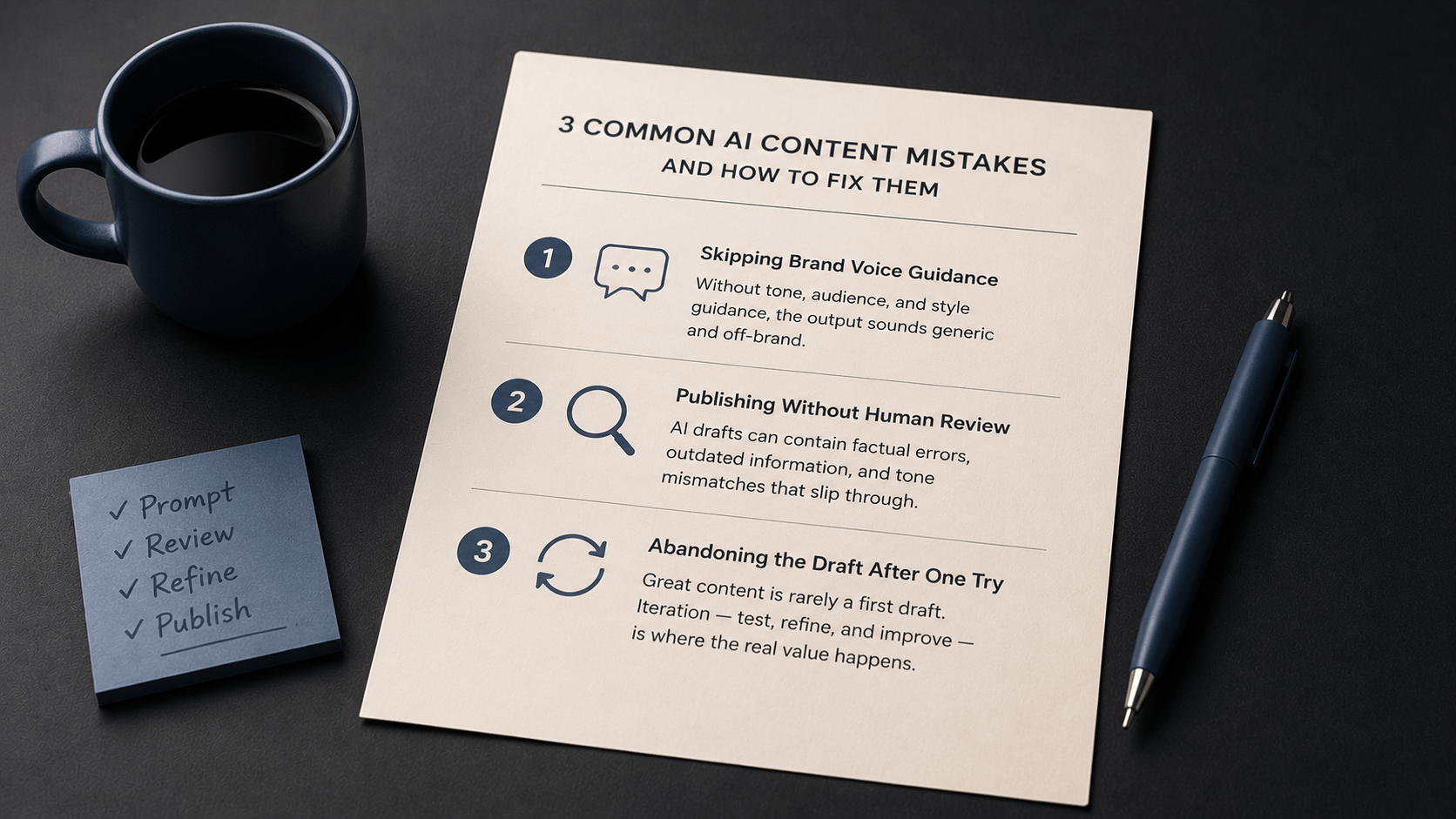
Mistake 1: Skipping Brand Voice Guidance in the Prompt
What the mistake looks like
A marketer writes: “Write a LinkedIn post about our new feature launch.” The output is polished, grammatically correct, and reads well. But it could have been written for any company in any industry. It does not sound like the brand. It lacks the specific tone, language choices, and audience awareness that distinguish one brand’s voice from a generic professional register.
Why it happens
When a prompt does not include tone, audience, or style guidance, the model defaults to a broadly neutral, professional register. That register is rarely wrong – but it is rarely right for a specific brand either. The model has no access to your brand guidelines, your campaign history, or your audience’s preferences. Without that information in the prompt, it produces the most plausible generic version of what you asked for.
The fix
Add four components to your content prompt: a tone descriptor, an audience definition, style constraints, and a content goal. These four elements give the model enough context to produce output that sounds like a specific brand rather than a template.
| Prompt | Write a LinkedIn post about our new feature launch. |
| Prompt | Write a LinkedIn post about our new feature launch. Tone: direct and confident, not corporate. Audience: mid-level operations managers who track team productivity. Highlight one benefit: the feature saves approximately 2 hours per week per team member. Keep it under 150 words. End with a question to prompt comments. |
The second prompt adds tone, audience, key benefit, length, and a structural endpoint. The model now has enough to produce output oriented toward a specific voice – not a default professional template.
A well-structured brand voice prompt does not guarantee perfectly on-brand output in every instance. Results depend on the specificity of the voice description, the complexity of the task, and iteration. In many cases, a first draft with brand voice guidance in the prompt will be close and need only a light editing pass before it is usable.
Mistake 2: Publishing AI-Generated Content Without Human Review
What the mistake looks like
A writer generates a blog post, reads it through quickly, and publishes it. The post is readable – but it uses a slightly wrong product name, misrepresents a feature benefit, and does not reflect the brand’s current campaign tone. None of these errors are obvious on a fast read. All of them matter after the content goes live.
Why it happens
AI models produce text based on patterns in their training data. They do not have access to your latest brand guidelines, your current product specifications, or real-time factual updates. In many cases, the output is close – but “close” is not good enough for published content that carries your brand name. The model cannot catch errors it does not know exist.
This mistake often happens because the first draft looks finished. Clean formatting, full sentences, and a logical structure can create the impression that the content is ready to publish. It typically is not – not without a human check.
The fix
Build a review step into your content workflow before any piece goes live. This does not require a lengthy editorial process. A focused review pass against four criteria typically takes less time than fixing a published error after the fact.
Before publishing any AI-generated content, check:
- Factual accuracy: Are all product names, figures, and claims correct?
- Brand voice alignment: Does the tone match your current brand guidelines?
- Campaign consistency: Does the content reflect your active messaging, not a prior campaign?
- Claim review: Are there any statements that could be misread or misrepresent your product?
Treat the AI draft as input to your editing process, not as a finished product. A brief review pass protects the content quality and the brand’s credibility. It also gives you a clearer picture of where your content prompts need refinement.
Mistake 3: Abandoning the Prompt After One Imperfect Output
What the mistake looks like
A writer generates a content draft, finds the tone too formal, and concludes that AI cannot match their brand voice. They submit one more prompt, get a similar result, and stop using AI for content creation entirely.
Why it happens
A first draft rarely reflects the full potential of a well-refined prompt. AI-generated content tends to improve across iterations – not because the model learns your preferences in real time, but because refined prompts give it better instructions to work with. When a first draft is disappointing, the natural response is to assume the tool is not capable of the task. In many cases, the tool is capable. The prompt is incomplete.
This mistake is particularly common when the feedback on the draft is vague: “the tone is off” or “it does not sound right.” Without identifying specifically what to change, the next prompt produces a similar result, and the pattern looks like a limitation of the tool rather than a gap in the prompt.
The fix
Treat the first output as diagnostic, not final. When a draft misses the mark, identify the one element most likely responsible before submitting a revision. Then use a targeted editing prompt to address that specific gap – rather than resubmitting a general request and hoping for a different result.
| Prompt | Rewrite this draft to match our brand voice: calm, plain language, no urgency or guilt-based phrasing. Replace any sentence that uses superlatives, pressure language, or an urgent tone with a softer, more encouraging alternative. Keep the structure and main points unchanged. |
| Prompt | Rewrite this post using this structure: opening hook (1 short paragraph), one tip with a brief explanation, closing CTA (1 sentence). Total length: 150-200 words. No subheadings. |
In many cases, two or three focused adjustments to a content brief or a targeted editing prompt produces a significantly more usable draft. Log what changed and what improved. Carry those refinements into your reusable content brief template so the next piece starts from a stronger baseline.
If a draft is fundamentally off-target – the tone is wrong in every paragraph, the structure missed the brief entirely – it is often more efficient to revise the original content brief and generate a new draft than to try to correct a deeply misaligned output through editing prompts alone.
What All 3 AI Content Creation Mistakes Have in Common
Each of these mistakes follows the same pattern: an assumption replaces a deliberate design choice. Missing brand voice assumes the model knows the brand. Skipping review assumes the model caught its own errors. Abandoning after one draft assumes the tool is at fault rather than the input.
The corrections follow the same pattern in reverse: replace the assumption with a specific instruction, a structured review, or a targeted revision. Each adjustment is small. The compounding effect across a content workflow is not.
Key Takeaways
- Skipping brand voice guidance produces generic output. Add four components to every content prompt – tone descriptor, audience definition, style constraints, and content goal – to orient the output toward your specific brand rather than a neutral professional register.
- Publishing without human review exposes content to factual errors, brand misalignment, and campaign inconsistencies that the model cannot catch on its own. A brief review pass against four criteria takes less time than correcting a published error.
- Abandoning the prompt after one imperfect draft misattributes the limitation. Treat the first output as diagnostic: identify the one element most likely responsible for the gap, apply a targeted editing prompt, and log what changed. AI-generated content typically improves across focused iterations, not across repeated general requests.
- All three mistakes replace deliberate design choices with assumptions. The corrections are structural, not technical – they require clearer inputs, not a different tool.