
Introduction
Every time you sit down to prompt an AI for a blog post, social caption, or email, you face a choice: rebuild your prompt from scratch, or work from a documented structure that already captures what the model needs. The first path is slow. The second is scalable.
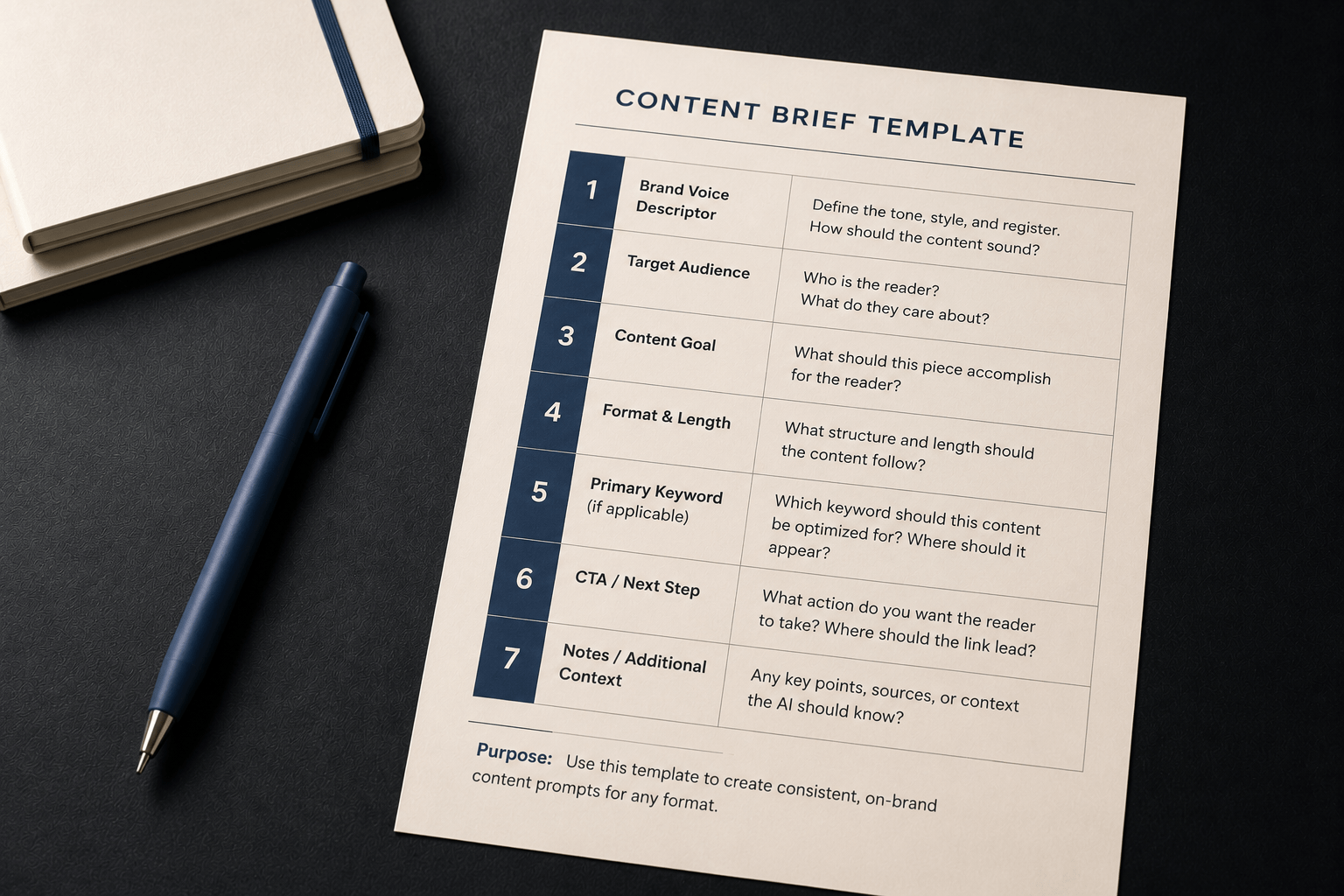
A content brief template is a prompt structure you fill in once and reuse across every piece of the same type. Once it exists, you swap out the variables – the specific keyword, the topic angle, the call to action destination – without rewriting the architecture that holds the prompt together.
This article walks you through building a 7-field content brief template. By the end, you will have a reusable structure you can apply to any recurring content type, such as weekly blog posts, campaign emails, social captions, or newsletters. The same template serves each format once you know which fields stay fixed and which ones change per piece.
This builds on two practices from earlier in Chapter 6. The four-component brand voice prompt introduced in Article 6-2 becomes the first field in your template. The output format instruction approach introduced in Article 6-3 becomes another. The template is not a new concept – it is those elements organized into a repeatable system.
Why a Template Changes the Workflow
Without a template, every new piece requires you to reconstruct the same prompt logic each time. You remember to include a tone note on some pieces and forget it on others. The audience definition is detailed one week and vague the next. The format instruction shifts depending on how much time you have.
The inconsistency compounds. When the prompt inputs vary, the output quality varies. You end up with drafts that require different amounts of editing from piece to piece – not because the content is more complex, but because the instructions you gave the model were less consistent.
A content brief template fixes the architecture so the only thing that changes is the content itself. Your brand voice descriptor is written once and copied in. Your audience definition is standard. Your tone constraints are defined. What you update per piece is the topic, the specific keyword, and the CTA destination. That is the correct scope of variation.
As covered in Chapter 4, the prompt log captures effective individual prompts. The content brief template extends that principle to a full system: instead of saving prompts that worked, you build a structure that generates consistently useful prompts for any piece in a recurring category.
The 7 Fields in a Content Brief Template
Each of the seven fields below covers a distinct dimension of the content prompt. The first four are typically fixed across a content type. The last three are often updated per piece. Knowing which fields belong in each category is what makes the template usable rather than just comprehensive.
Field 1: Brand Voice Descriptor
This field defines the tone, style, and register you want the model to apply across the piece. It is the condensed version of your four-component brand voice prompt: how the writing should sound, what register it should use, and what it should avoid.
A complete brand voice descriptor gives the model enough to produce copy that sounds like a specific organization rather than a neutral template. Vague descriptors – “professional,” “friendly” – tend to produce generic output, because those words mean different things across different brands.
| Example entry | Calm, optimistic, plain language. No jargon, no guilt-based framing. Encouraging without being preachy. Short sentences preferred. |
Field 2: Target Audience
This field defines who the specific reader is and what they care about. It is more useful than a demographic summary. The model does not produce better output because you specify that the audience is “adults 28-45.” It produces better output when you describe what that audience is trying to accomplish and what gets in their way.
| Example entry | Environmentally conscious adults, 28-45, who want to live more sustainably but feel overwhelmed by where to start. |
Field 3: Content Goal
This field defines what the piece needs to accomplish for the reader. Not what the brand gets out of it – what the reader gets. The distinction matters because the model uses this field to calibrate what counts as a useful endpoint for the content.
A goal of “generate awareness” produces different output than “help the reader take one small, actionable step and leave them feeling capable.” The second version gives the model a concrete success condition to write toward.
| Example entry | Help the reader take one small, actionable step toward a more sustainable routine. Leave them feeling capable, not overwhelmed. |
Field 4: Format and Length
This field specifies the output structure and word count for this content type. It is the format instruction that differs by channel: blog posts need section structure, emails need subject lines and preview text, captions need compression and character limits.
State this field in terms of what the model should produce, not what the final published piece looks like. Include specific structural elements – heading frequency, paragraph length, CTA placement – rather than a word count alone.
| Example entry (blog post) | H1 title, intro paragraph (75-100 words), 3 tips with H2 subheadings, closing with a soft CTA. Total: 600-800 words. |
Field 5: Keywords (if applicable)
For content types that require search optimization, this field provides keyword guidance and placement instruction. You do not need to specify an exact count for every placement. Noting where the keyword should appear – in the H1 and at least twice in the body, naturally – is often sufficient.
Leave this field blank or mark it “N/A” for content types where keyword placement would feel forced, such as social captions or internal newsletters. Applying keyword guidance where it does not fit the format tends to produce unnatural phrasing that undermines the voice you defined in Field 1.
| Example entry | Primary keyword provided per post. Place in H1 and at least twice in body, naturally. Do not repeat in every paragraph. |
Field 6: Tone Constraints
This field lists specific language rules to follow or avoid. It is the negative space of your brand voice: what the writing must not do, regardless of context.
Tone constraints are most useful when they are specific. “Don’t be negative” is not a useful constraint. “No guilt-based framing, no urgency language, no superlatives” tells the model what patterns to avoid and reduces the frequency of outputs that need tone corrections in editing.
| Example entry | No superlatives. No urgency language. No product comparisons. No guilt-based phrasing. No exclamation marks. |
Field 7: Call to Action
This field defines the desired reader action and how the piece should frame it. It includes the type of CTA – soft or direct – and where it should appear. For recurring content types, the CTA type often stays fixed while the destination changes per piece.
| Example entry | Soft close only. Invite the reader to try one tip. No hard sell. One CTA at the close of the piece. CTA destination updated per article. |
A Filled-In Template: Weekly Educational Blog Post
Below is a completed content brief template for a recurring content type: a weekly blog post for a sustainable lifestyle brand. The Fixed column marks fields that stay the same for every post in this series. The Variable column marks fields you update per piece.
| Field | Example Entry | Fixed or Variable? |
|---|---|---|
| Brand Voice Descriptor | Calm, optimistic, plain language. No jargon, no guilt-based framing. Encouraging without being preachy. | Fixed – update only if brand guidelines change |
| Target Audience | Environmentally conscious adults, 28-45, who want to live sustainably but feel overwhelmed by where to start. | Fixed – stable across this content series |
| Content Goal | Help the reader take one small, actionable step. Leave them feeling capable, not guilty. | Fixed – consistent across the series |
| Format and Length | H1 title, intro (75-100 words), 3 tips with H2 subheadings, soft CTA closing. Total: 600-800 words. | Fixed – this is the standard post format |
| Keywords | Primary keyword provided per post. Place in H1 and at least twice in body, naturally. | Variable – keyword changes per post; placement rule stays fixed |
| Tone Constraints | No superlatives. No urgency language. No guilt-based phrasing. No product comparisons. | Fixed – stable brand language rules |
| Call to Action | Soft close only. Invite reader to try one tip. One CTA at the close. Destination updated per post. | Partially variable – type is fixed; destination changes per post |
How to Use the Template in Practice
Once the seven fields are written and stored, using the template is straightforward. Copy it into a new prompt, update the variable fields for the specific piece you are writing, and submit.
Here is the same template turned into a generation-ready prompt for a specific blog post:
| Prompt | Brand Voice: Calm, optimistic, plain language. No jargon, no guilt-based framing. Encouraging without being preachy.
Audience: Environmentally conscious adults, 28-45, who want to live sustainably but feel overwhelmed by where to start. Goal: Help the reader take one small, actionable step this week. Leave them feeling capable, not guilty. Format: H1 title, intro (75-100 words), 3 tips with H2 subheadings, soft CTA closing. Total: 600-800 words. Keyword: ‘sustainable morning routine’ – place in H1 and at least twice in body, naturally. Tone Constraints: No superlatives. No urgency language. No guilt-based phrasing. CTA: Soft close. Invite reader to try one tip from the list this week. Link to: [newsletter sign-up page] |
The only fields you changed from the template were the keyword and the CTA destination. The rest carried over without modification. This is the practical benefit: reduced setup time per piece, with the architecture already in place before you start.
Store the template in whatever tool you already use for documentation. A shared Google Doc, a notes app, or a simple folder of text files all work. The tool matters less than the habit of keeping it accessible and using it consistently. A template that exists but sits unfiled produces the same outcome as no template at all.
Adapting the Template Across Content Formats
The same seven fields work across different content types. What changes between a blog post template and a social caption template is the content of Fields 4 and 7 – format and length, and call to action. Fields 1, 2, 3, and 6 typically remain identical because they define the brand, not the channel.
Below is a comparison of how the same template adapts across three formats for the same brand.
| Field | Blog Post | Social Caption | |
|---|---|---|---|
| Brand Voice | Unchanged | Unchanged | Unchanged |
| Target Audience | Unchanged | Unchanged | Unchanged |
| Content Goal | Unchanged | Unchanged | Unchanged |
| Format and Length | 600-800 words, 3 sections with H2 subheadings, short paragraphs | 2-3 sentences + line break + 4-5 hashtags. Under 150 words total. | Subject line (9 words max), preview text (50 chars), body 150-200 words, 1 CTA |
| Keywords | Primary keyword in H1 and twice in body | N/A | N/A |
| Tone Constraints | Unchanged | Unchanged | Unchanged |
| Call to Action | Soft close at end of piece. One CTA. | One question to prompt comments. No link. | One link at close of body. No urgency language. |
Notice which rows are shaded differently: Format and Length, and Call to Action. Those are the two fields that change across channels. Everything else carries over unchanged. This is the practical rule: when you move to a new format, update those two fields and leave the rest alone.
Common Mistakes When Building Content Brief Templates
Mistake 1: Treating every field as variable
When writers update the brand voice descriptor, audience, and tone constraints per piece – instead of keeping them fixed – the template stops functioning as a consistency tool. Each piece becomes its own improvisation, and the output quality varies accordingly.
The fix: Separate the fields into fixed and variable categories before you start using the template. Write the fixed fields once and treat them as stable until your brand guidelines change. Only the variable fields get updated per piece.
Mistake 2: Writing vague fixed fields
A brand voice descriptor that says “friendly and professional” does not give the model enough structure to produce consistent output. An audience field that says “general readers” provides no useful context at all. These vague entries may as well be absent.
The fix: Test your fixed fields against this standard: could a colleague read them and produce a draft that sounds like the brand? If the answer is uncertain, the fields are not specific enough. Revise them with concrete tone words, audience motivations, and explicit constraints before locking them in.
Mistake 3: Building separate templates for every small variation
Some writers create a new template for each minor variation: one for 600-word posts, another for 800-word posts, a third for posts with lists, a fourth for posts with tables. The proliferation of templates creates the same problem the template was supposed to solve: too much to maintain, not enough consistency.
The fix: Build one template per content type – not per variation within a type. A blog post template covers all blog posts for that brand. The specific format instruction for a given piece goes in the variable portion of Field 4. If a variation truly requires a different brand voice, audience, or goal, then it warrants its own template. Otherwise, it is a variation – not a separate content type.
Key Takeaways
- A content brief template turns a well-built prompt into a reusable system. Once the seven fields are written, each new piece requires only updating the variable fields – keyword, CTA destination, and specific topic – without rebuilding the architecture.
- Four fields typically stay fixed across a content series: brand voice descriptor, target audience, content goal, and tone constraints. Keeping these stable produces more consistent output from piece to piece.
- Two fields change by channel: format and length, and call to action. The same brand template can drive blog posts, social captions, and emails by updating these two fields and leaving the rest unchanged.
- Vague fixed fields undermine the template. Test each one against this standard: could a colleague use it to produce a draft that sounds like the brand? Specificity in the fixed fields is where consistency comes from.
- Store templates where they are accessible and use them consistently. A template that exists but is not used produces no benefit. The habit of reaching for it each time is as important as the quality of the fields inside it.
What to Do Next
Once you have a working content brief template, the next challenge is refining the drafts it produces. Not every first draft will be exactly right – even with a strong template. Article 6-6 covers three targeted editing prompt types – shorten and tighten, tone alignment, and clarity check – that let you improve a near-miss draft without starting from scratch.