
Introduction
You have built a conversational AI flow that works. The persona holds its role. The opening sequence guides the user naturally. Edge cases get redirected cleanly. You ran it through a test scenario, reviewed the transcript, and it performed exactly as you designed.
Now imagine you need to hand that flow to a colleague. Or deploy a similar version for a different product next month. Or return to it six months from now to update the persona.
Without documentation, you are starting over. With a conversation template, you are building on something tested and proven.
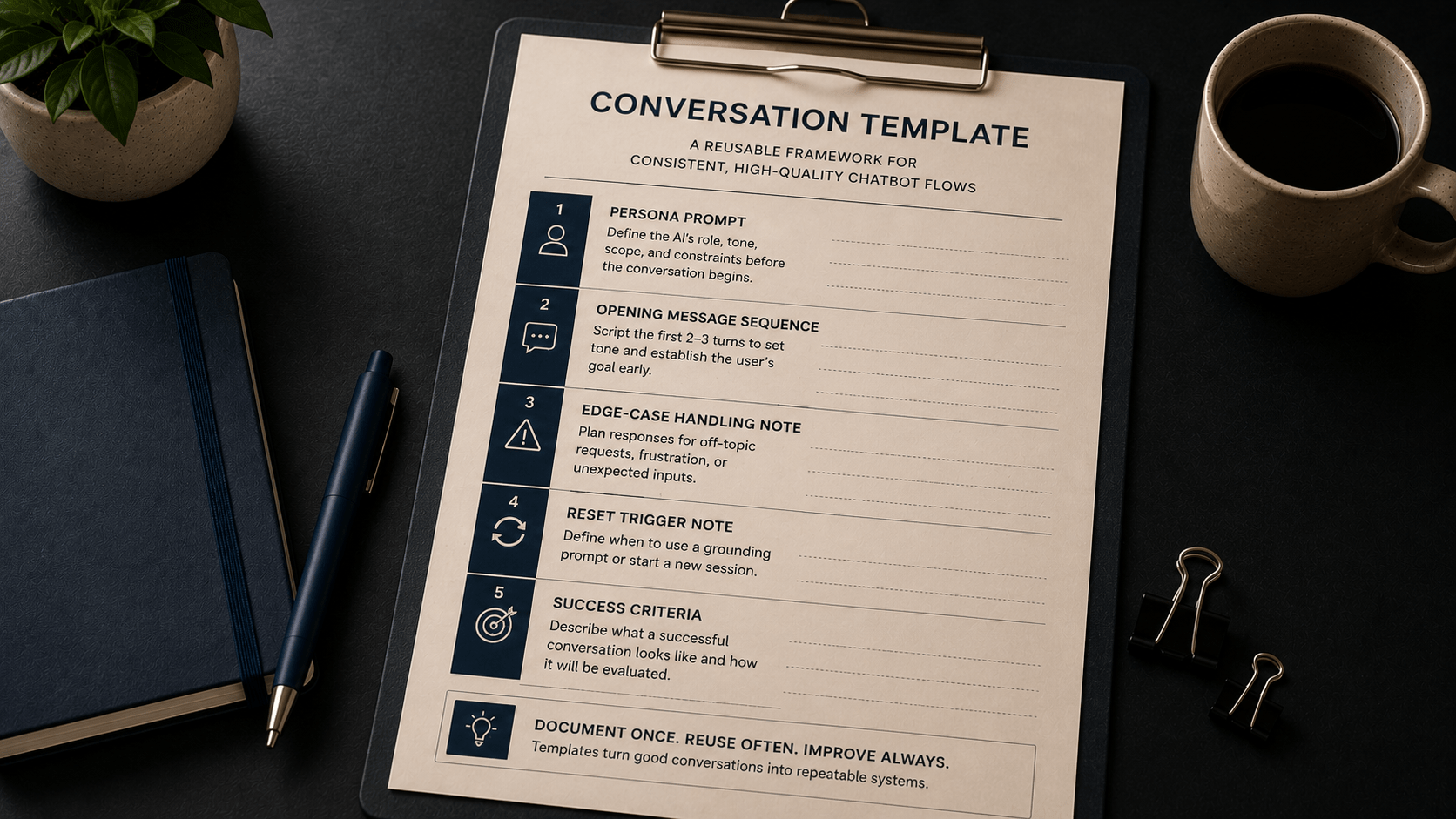
This article walks you through the five fields of a reusable conversation template - the same structure introduced in Chapter 5 of Learning Prompt Engineering. Each field captures a specific design decision. Together, they give you a record that is easy to reuse, hand off, and improve over time.
By the end of this walkthrough, you will be able to take any working conversational AI flow and document it as a complete template using the five-field structure: persona prompt, opening message sequence, edge-case handling, reset triggers, and success criteria.
Why Reusable Templates Matter
A conversation template is not just documentation. It is the difference between a one-off build and a repeatable system.
When you design a chatbot or conversational AI flow without capturing your decisions, the knowledge lives only in your head - or in the session transcript. The next time you need a similar flow, you rebuild it from scratch, make slightly different choices, and end up with inconsistent results across projects.
A reusable template solves this in three ways:
- It records the design decisions you made so you can reproduce them reliably.
- It gives collaborators a clear starting point without requiring a full explanation.
- It makes iteration faster - you can update one field at a time instead of redesigning the whole flow.
The template format introduced here mirrors the documentation habit covered in Chapter 4's prompt log. That log was for individual prompts. A conversation template applies the same principle to a full multi-turn interaction design.
The Five-Field Template Structure
Every conversation template contains five fields. Each one addresses a distinct design decision. Work through them in order - the fields build on each other.
| Field | What It Captures |
|---|---|
| Persona Prompt | The AI's role, tone, scope, and constraints before the conversation opens. |
| Opening Message Sequence | The first 2-3 turns that set tone and establish the user's goal. |
| Edge-Case Handling Note | How to manage off-topic requests, frustrated users, or unexpected inputs. |
| Reset Trigger Note | When to insert a grounding prompt or start a new session. |
| Success Criteria | What a successful conversation looks like so it can be tested and evaluated. |
The sections below walk through each field with a worked example. The scenario throughout is a customer support bot for a software product called Flowdesk - an onboarding assistant named Finn.
Field 1: Persona Prompt
The persona prompt is the system message you set before the conversation begins. It defines who the AI is in this interaction: the role it plays, the tone it uses, the topics it covers, and the requests it will decline.
In Chapter 5, system messages are described as having four components: role, tone, scope, and constraints. Your persona prompt should address all four - in that order.
Why the order matters
A common mistake is to write constraints first. This produces a persona that knows what it cannot do but has no clear sense of what it is. Start with role to anchor the identity, then layer in tone, scope, and finally constraints.
Example: Finn the Flowdesk Onboarding Assistant
| Role | You are Finn, a friendly onboarding assistant for Flowdesk. |
| Tone | Speak in a clear, encouraging tone. Use short sentences. |
| Scope | Help new users complete account setup, connect integrations, and navigate their first project. |
| Constraints | Do not discuss billing, enterprise features, or API configuration. If a user asks about something outside your scope, say: "That is outside what I can help with here. For [topic], please visit our Help Center or contact support." |
Notice that the constraint section includes a redirect script. This is important. Without a clear redirect, the model will often attempt to answer out-of-scope questions rather than decline them. Providing the exact phrasing gives the model a reliable fallback.
Keep the persona prompt focused. A 50-word system message that covers all four components will often produce more consistent results than a 300-word message with multiple competing instructions.
What to record in this field:
- The full text of the system message, formatted with component labels.
- A note on the platform it was written for, if relevant (capabilities vary across tools).
- The version date - especially if you update the persona later.
Field 2: Opening Message Sequence
The opening sequence scripts the first two to three turns of the conversation. Its job is to set the tone immediately and surface the user's goal early - before the conversation has accumulated enough context to drift.
Most conversational flows that fail in testing do so because the opening was too vague. The bot introduces itself but never asks what the user needs. The user types something unexpected. The conversation is already off track by turn two.
A well-structured opening does three things:
- Establishes the persona's identity and purpose.
- Invites the user to state their goal directly.
- Confirms the goal before starting task guidance.
Example: Finn's Opening Sequence
| Turn 1 - Bot | Hi! I'm Finn, your Flowdesk onboarding guide. What would you like help setting up today? |
| Turn 2 - User | [States their goal] |
| Turn 3 - Bot | Great - let's get that sorted. [Begins task guidance based on the stated goal] |
This three-turn structure is simple, but it does something important: it puts the user's goal on record in turn two. That record helps the model stay focused on what the user asked for - and gives you a clear success marker to test against.
What to record in this field:
- The scripted opening turns, labeled by speaker and turn number.
- A note on any variations - for example, a different opening for returning users versus first-time users.
- Any platform-specific formatting requirements (character limits, button options, etc.).
Field 3: Edge-Case Handling Note
Real users do not always follow the expected path. They ask off-topic questions, express frustration, provide incomplete information, or type something the system was never designed to handle.
If your template does not address these scenarios, the model will improvise. Sometimes that is fine. More often, it produces responses that erode the persona, answer questions the bot was not designed to handle, or leave the user more confused than before.
| Edge Case Type | Example + Suggested Handling |
|---|---|
| Out-of-scope topic | User asks about billing. Redirect: "That is outside what I can help with here. For billing, please contact our support team." |
| Frustrated or distressed user | User expresses frustration. Acknowledge first: "I can see this is frustrating. Let me connect you with a human support agent who can help directly." |
| Ambiguous or incomplete input | User says "it is not working" without context. Clarify before proceeding: "Can you tell me which step you are on so I can point you in the right direction?" |
| Request outside the model's capability | User asks bot to perform an action it cannot take (e.g., "cancel my account"). Redirect to the appropriate channel without attempting the task. |
The edge-case handling note does not need to cover every possible scenario. Cover the three to five most likely off-track situations for your specific use case. Anything rarer than that can be handled with a general fallback redirect.
What to record in this field:
- A list of the most likely edge cases for this specific use case.
- The redirect or response script for each one.
- A note on whether any edge case should trigger a human handoff.
Field 4: Reset Trigger Note
Context accumulates with every turn. As a conversation grows longer, the model's earlier instructions may be pushed further back in the context window. When that happens, the persona can drift - responses become more generic, the tone shifts, or constraints stop taking effect.
The reset trigger note defines the conditions under which you intervene. There are two tools available: the grounding prompt and the conversation reset.
| Tool | When to Use It |
|---|---|
| Grounding prompt | Use when the persona has started to drift but the conversation thread is still worth keeping. Insert mid-conversation to re-state the persona, constraints, and scope without starting a new session. |
| Conversation reset | Use when the context window is near capacity, when the conversation has drifted significantly, or when a clean transition to a new topic is needed. Starts a fresh session from the system message. |
Example: Finn's Reset Triggers
| Grounding prompt trigger | Insert after turn 12, or when scope drift is detected (bot answers outside defined topics without redirect). |
| Grounding prompt text | Reminder: You are Finn, the Flowdesk onboarding assistant. Your role is to help users with account setup, integrations, and first-project navigation only. Decline all other requests politely and redirect to support. |
| Conversation reset trigger | Start a new session if the context window exceeds 80% capacity or if the conversation has moved to an entirely different user goal. |
Note: Base AI models do not retain any memory between sessions. When you start a new session, the model begins with no knowledge of what was discussed before. A conversation reset is a clean break - not a continuation. If cross-session continuity is required, you need a tool-connected AI system configured to store and retrieve prior interaction data.
What to record in this field:
- The condition that triggers a grounding prompt (turn count or observed behavior).
- The full text of the grounding prompt for this use case.
- The condition that triggers a full conversation reset.
Field 5: Success Criteria
Success criteria define what a working conversation looks like. Without them, testing is subjective - you are comparing a transcript to a vague sense of what you wanted. With defined criteria, you have a checklist you can apply consistently across every test run.
This field connects directly to the testing checklist introduced in Chapter 5. Run the checklist. Record the results. Then update the template based on what failed.
Success criteria should be specific and observable:
| Vague Criterion | Specific, Testable Version |
|---|---|
| The bot is helpful. | The user reaches their stated setup goal within 5 turns. |
| The bot stays on topic. | The bot produces no out-of-scope responses in a 15-turn test run. |
| The bot handles frustration well. | When a frustrated user input is tested, the bot acknowledges the issue and offers a human handoff before attempting a solution. |
| The persona holds throughout. | After 20 turns, the bot's tone and redirect language match the system message in at least 90% of responses. |
Example: Finn's Success Criteria
- User completes their stated setup goal within 5 turns.
- Bot stays within defined scope across all turns in a test run.
- Out-of-scope requests are redirected with the scripted phrase - not answered.
- No scope drift observed in turns 1-12 without a grounding prompt.
- Persona tone remains consistent with system message across all turns.
What to record in this field:
- 3 to 5 specific, observable conditions that define a successful conversation.
- Any conditions that would trigger a redesign rather than a refinement.
- A note on which scenarios to test against - the expected path, at least one edge case, and a long-run test at 15 or more turns.
Putting It Together: A Filled Template
Here is the complete five-field template for the Flowdesk onboarding assistant, consolidated into a single reference document.
| Field | Content |
|---|---|
| Use case | Onboarding support bot for Flowdesk software product |
| Persona prompt | You are Finn, a friendly onboarding assistant for Flowdesk. Speak in a clear, encouraging tone. Help new users with account setup, integrations, and first-project navigation. Decline all other topics and redirect to support. |
| Opening message sequence | Turn 1 - Bot: Hi! I'm Finn, your Flowdesk onboarding guide. What would you like help setting up today? Turn 2 - User: [States goal] Turn 3 - Bot: Great - let's get that sorted. [Begins task guidance] |
| Edge-case handling note | Billing, pricing, API config: redirect to Help Center. Frustrated user: acknowledge difficulty, offer human handoff. Ambiguous input: ask clarifying question before proceeding. |
| Reset trigger note | Grounding prompt: after turn 12 or when scope drift detected. Conversation reset: at 80% context capacity or when user goal has shifted entirely. |
| Success criteria | 1. User reaches setup goal within 5 turns. 2. No out-of-scope responses across a 15-turn test run. 3. Redirect language matches scripted phrase. 4. Persona tone consistent throughout. |
Storing and Maintaining Your Templates
A template stored nowhere is a template that does not exist. Once you have filled in all five fields, save the template in whatever tool you already use for project documentation - a shared folder, a notes app, or a simple spreadsheet.
The tool matters less than the habit.
What to track over time:
- Date the template was last tested.
- Any changes made after testing and the reason for each change.
- Platform and model version it was written for - conversational AI capabilities vary across tools and versions.
The Watch-Test-Update cycle introduced in Chapter 16 applies here. Periodically re-run a test scenario against your template. If the model's behavior has shifted - due to a platform update or a change in the underlying model - update the template and log what changed.
A short note in the template such as "Added scope reminder to persona prompt after testing showed drift at turn 10 - v1.1 March 2026" will save significant time the next time you return to it.
Common Mistakes When Building Conversation Templates
Mistake 1: Filling in the template after testing - not before
A common approach is to design the conversation, test it, see what works, and then document the result. The problem: you often cannot reconstruct the exact system message or opening sequence you used. Document each field as you design it, before testing begins.
Mistake 2: Writing success criteria that cannot be tested
"The bot feels friendly" is not a testable criterion. "The bot uses encouraging language in at least 4 out of 5 test turns" is. Write criteria you can check against a transcript with a clear yes or no answer.
Mistake 3: Omitting the reset trigger note
Many templates include a persona prompt and opening sequence but skip the reset trigger entirely. When the conversation drifts in a live deployment, there is no documented procedure for what to do. Include at minimum a grounding prompt text and a condition that triggers it.
Mistake 4: Treating the template as finished after one test
A template is a starting point, not a final product. Test it across multiple scenarios - the expected path, at least one edge case, and a long-run test at 15 or more turns. Update the relevant field based on what fails. Log the change.
Key Takeaways
- A reusable conversation template captures five design decisions: persona prompt, opening message sequence, edge-case handling, reset triggers, and success criteria.
- The persona prompt should address four components in order: role, tone, scope, and constraints. A focused system message tends to produce more consistent results than a long, rule-heavy one.
- The opening sequence scripts the first two to three turns to establish the persona and surface the user's goal early - before context drift can occur.
- Edge-case handling notes define the three to five most likely off-track scenarios and the redirect or response script for each one.
- Reset triggers specify when to insert a grounding prompt and when to start a new session - both are practical tools, not workarounds.
- Success criteria must be specific and observable. Vague criteria cannot be tested against a transcript.
- Base AI models do not retain memory between sessions. If your template requires cross-session continuity, you need a tool-connected AI system - not a base model.
What to Do Next
Take a conversational AI flow you have already built - or design a simple one for a use case you work with regularly. Fill in all five fields of the template using the structure above. Then run it through a test scenario and update each field based on what you observe.
One complete, tested template is more useful than ten untested ones.