
Introduction
Most chatbot problems start before the first user message is sent.
When a chatbot gives inconsistent answers, drifts off topic, or responds in a tone that does not match its intended role, the cause is usually the same: the system message was vague, missing key components, or never written at all.
The system message for your chatbot is the instruction you set before a conversation begins. It tells the AI what role to play, how to communicate, what topics to engage with, and what to decline. Get it right, and the chatbot behaves consistently from turn one. Leave it incomplete, and no amount of follow-up prompting will fully correct the drift.
This article walks you through a four-component framework for writing effective system messages. You will see each component defined, applied in a full worked example, and tested against the common mistakes that cause system messages to fail.
Why the System Message Matters
In a single-prompt interaction, you provide everything the model needs in one message. The model responds, and the exchange is complete. A chatbot is different. It runs across multiple turns, and each turn adds to the running context. The system message is the only instruction that is present from the very start of that context.
Think of it as the briefing you give before the conversation opens. Every response the chatbot produces is shaped by how clearly the briefing defines the role, tone, scope, and limits. A well-written system message tends to produce more consistent persona behavior across turns. A poorly written one leaves the model without a clear frame of reference, and the outputs often reflect that ambiguity.
That said, a system message often shapes output tendencies. It does not guarantee specific behavior on every turn. The more specific the briefing, the more consistent the results tend to be. That is the practical goal: reduce the gap between what you intend and what the model produces.
The Four-Component Framework
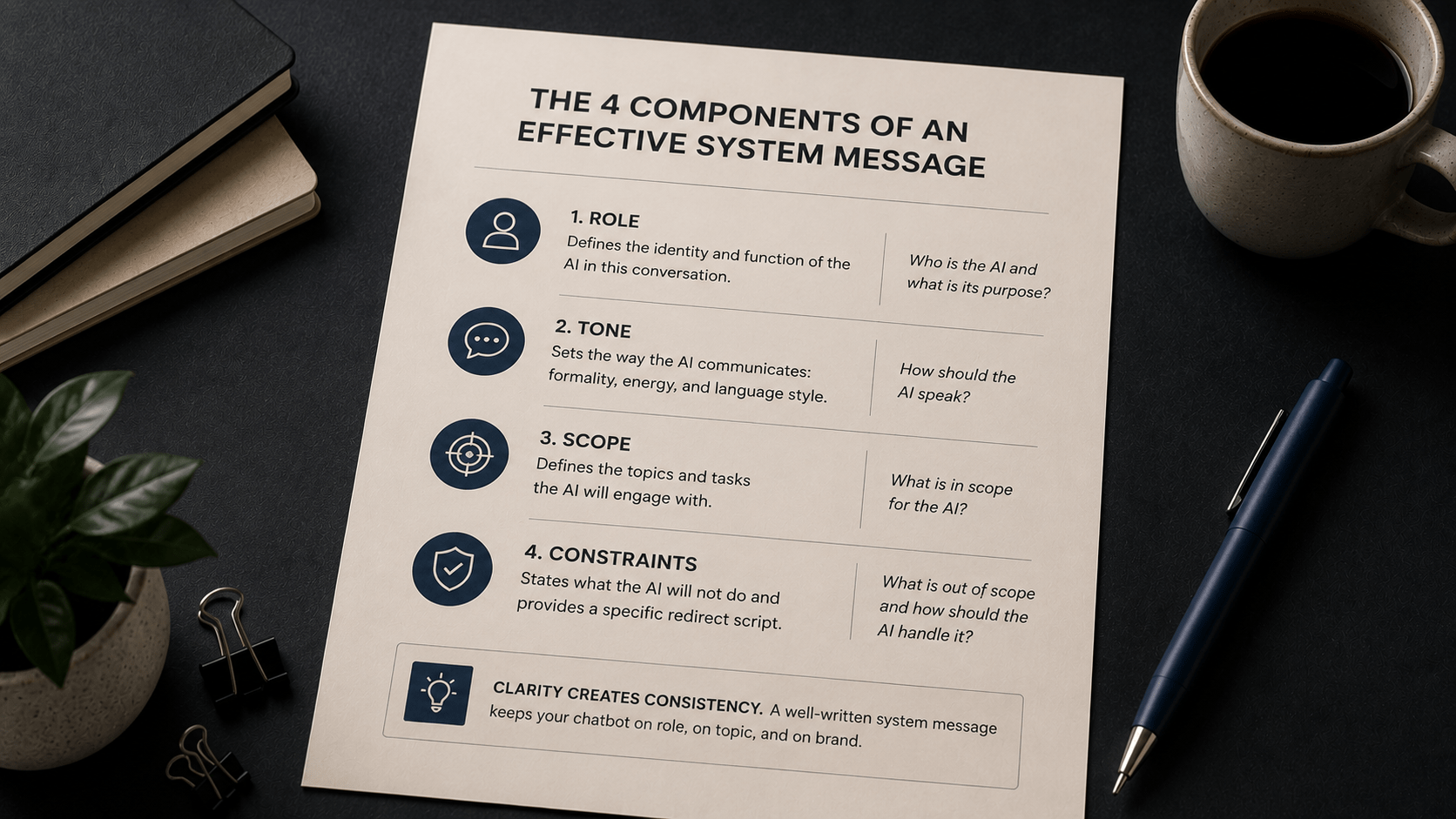
A system message that works consistently addresses four things: role, tone, scope, and constraints. Each component does a specific job. Leaving one out tends to produce a specific type of problem.
| Component | What It Defines | What Happens When It Is Missing |
|---|---|---|
| Role | The identity and function of the AI in this conversation. | The model responds as a generic assistant with no defined perspective or purpose. |
| Tone | How the AI communicates: formality, energy, and language style. | Tone varies unpredictably across turns or defaults to a generic neutral register. |
| Scope | The topics and tasks the AI will engage with. | The model answers questions it was never designed to handle, producing unreliable outputs. |
| Constraints | Topics to decline or redirect, and how to do so. | Off-topic requests get answered rather than redirected, eroding the persona. |
Work through the components in order: role first, then tone, then scope, then constraints. A common mistake is to write the constraints first and end up with a persona that knows what it cannot do but has no clear sense of what it is.
Component 1: Role
The role defines who the AI is and what function it serves. It gives the model a frame of reference for every response it produces. A well-written role statement names the AI, states its purpose, and grounds it in the specific use case.
This tells the model very little. What does it help with? For whom? In what context?
This gives the model a name, a purpose, and a product context. It is a specific frame, not a generic label.
Component 2: Tone
Tone tells the model how to communicate. It covers formality, energy level, sentence length, and register. The tone should match the audience the chatbot serves and the context in which it operates.
| Prompt | Be professional. |
Professional is vague. It could mean formal and corporate, or warm and expert, or terse and efficient. Without more specificity, the model often defaults to a register that may not match your intent.
| Prompt | Speak in a clear, encouraging tone. Use short sentences. Avoid technical jargon unless the user introduces it first. |
This is actionable. The model has specific directions on sentence length, register, and vocabulary choices.
Component 3: Scope
Scope defines the territory within which the chatbot operates. What topics will it address? What tasks will it help with? A clear scope statement gives the model boundaries within which to operate.
| Prompt | Help users with their questions. |
This provides no boundary at all. The model will treat nearly any question as in scope.
| Prompt | Help new users complete account setup, connect integrations, and navigate their first project. |
The scope is now specific. Three task categories. Nothing else implied.
Component 4: Constraints
Constraints define what the chatbot will not do and give it a script for how to decline gracefully. Without a clear constraint statement, the model often attempts to answer out-of-scope requests rather than redirect them. This erodes the persona and produces outputs in areas the bot was never designed to handle.
| Prompt | Do not discuss topics outside your area. |
This is too abstract. What is the area? And what should the bot say when it declines?
| Prompt | Do not discuss billing, enterprise features, or API configuration. If a user asks about these, say: "That is outside what I can help with here. For [topic], please visit our Help Center or contact support." |
The constraint is specific about what is excluded. The redirect script is provided so the model does not have to invent one.
A Complete Worked Example
Here is a full system message using all four components. The scenario is an onboarding assistant for a software product called Flowdesk.
| System message | You are Finn, a friendly onboarding assistant for Flowdesk.
Speak in a clear, encouraging tone. Use short sentences. Help new users complete account setup, connect integrations, and navigate their first project. Do not discuss billing, enterprise features, or API configuration. If a user asks about these topics, say: "That is outside what I can help with here. For [topic], please visit our Help Center or contact support." |
Now, here is the same system message, labeled by component, so you can see exactly what each line is doing.
| Line | Component | What It Does |
|---|---|---|
| You are Finn, a friendly onboarding assistant for Flowdesk. | Role | Names the AI, defines its purpose, and grounds it in the product context. |
| Speak in a clear, encouraging tone. Use short sentences. | Tone | Sets the register, energy level, and sentence style for every response. |
| Help new users complete account setup, connect integrations, and navigate their first project. | Scope | Defines the three task categories the chatbot is designed to handle. |
| Do not discuss billing, enterprise features, or API configuration... | Constraints | States what is excluded and provides a specific redirect script. |
Notice what is not in this system message: there are no lengthy rules for edge cases, no attempt to anticipate every possible question, and no competing instructions. It covers the four components and stops. A focused system message tends to produce more consistent results than a long one with too many directives.
How to Write Your Own System Message
Follow these steps in order when building a system message for a new chatbot use case.
- Identify the role. Who is this AI? What is its function? Name it if appropriate. State its purpose in one sentence.
- Define the tone. How should it speak? Name two or three specific qualities: formality level, sentence length, vocabulary approach.
- Write the scope. What will it help with? List the specific task categories. Keep it to three to five items.
- Add the constraints. What is out of scope? State the excluded topics clearly. Write a redirect phrase the model can use when those topics come up.
- Test it. Run the system message through a short conversation. Include at least one in-scope request and one out-of-scope request. Check that the persona holds and the redirect works.
One practical tip: write the role before anything else. It is easier to define tone, scope, and constraints once you have a clear picture of who the AI is and what it is there to do.
Common Mistakes When Writing System Messages
Mistake 1: Writing the constraints before the role
This produces a persona that knows what it cannot do but has no clear frame for what it is. The result is often a chatbot that deflects well but struggles to respond helpfully within its intended scope.
The fix: Write role, tone, and scope first. Add constraints last, once the identity is established.
Mistake 2: Over-engineering the system message
A 400-word system message with 15 rules and multiple tone instructions can produce inconsistent outputs. When the model has to weigh too many competing directives, responses often become awkward or the persona starts to blur across turns.
The fix: Write the leanest system message that covers all four components. Handle rare edge cases with a grounding prompt (as covered in Chapter 5) when they arise, rather than trying to anticipate every scenario upfront.
Mistake 3: Leaving out the redirect script
A constraint without a redirect script often leads to awkward deflections or, in some cases, the model attempting to answer the out-of-scope question anyway. Telling the model what not to do is only half the instruction. It also needs to know what to say instead.
The fix: Include a specific phrase the model can use when it declines. For example: "If a user asks about [topic], say: 'That is outside what I can help with here. For [topic], please visit our Help Center.'"
Before and After: Two System Messages Compared
Here is the same chatbot use case written two ways: once without the four-component framework and once with it.
Before: Vague system message
| System message | You are a helpful customer support assistant.
Be polite and answer customer questions. |
Problems: No name or defined role. Tone instruction is a single generic word. No scope defined. No constraints. No redirect script. The model will attempt to answer any question a customer asks, in any register it chooses.
After: System message using the four-component framework
| System message | You are Aria, a calm and direct returns advisor for ShopEasy.
Speak in a clear, direct tone. Keep responses brief. Avoid jargon. Help customers with returns, exchanges, and refund status. Do not discuss pricing, product availability, or shipping timelines. If a user asks about these, say: "That is outside what I handle here. For [topic], please get in touch with our sales team or check the FAQ." |
What changed: The role is specific and named. The tone instruction is actionable. The scope covers exactly three task categories. The constraints name the excluded topics and provide a redirect script. The chatbot now has a clear frame for every turn of the conversation.
Key Takeaways
- A system message is the instruction you set before a conversation begins. It shapes the chatbot's behavior on every turn, not just the first.
- Effective system messages address four components in order: role, tone, scope, and constraints. Each component does a specific job. Leaving one out tends to cause a specific type of problem.
- Keep the system message focused. A short, clear message covering all four components often produces more consistent results than a long message with many competing instructions.
- Constraints need a redirect script, not just a list of excluded topics. Tell the model what to say when it declines, not just what to decline.
- Test your system message with both in-scope and out-of-scope requests before relying on it. Watch for persona drift, off-topic responses, and tone inconsistency across turns.
What to Do Next
Take the four-component framework and write a system message for a chatbot you would actually use: a support bot, an FAQ responder, or an onboarding guide. Work through the components in order. Then test it with five turns of conversation, including at least one out-of-scope question, and check whether the persona holds.